
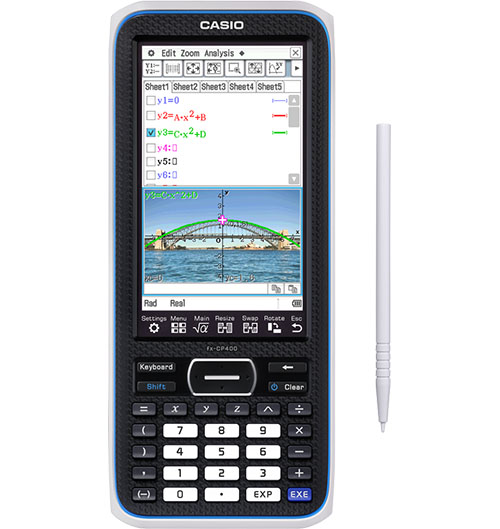
Tokyo, November 27, 2012 — Casio Computer Co., Ltd., announced today that it will release a new model in its ClassPad series of graphing scientific calculators, the fx-CP400, which features a large touch-panel color liquid crystal display (LCD) for easy viewing and operability. The fx-CP400 will be available in various countries starting in early summer 2013.
Casio has contributed to math education around the world by developing advanced calculators that make it easier to learn. In 1985, Casio introduced the world’s first graphing calculator, the fx-7000G, and in 2004 the company released the fx-82ES scientific calculator with textbook display that shows fractions and root functions as they appear in textbooks.
Launched in 2003 with the ClassPad 300, the ClassPad series features a Computer Algebra System (CAS) developed by Casio and pen touch operations using a stylus. Products in the series have earned a strong reputation as graphing scientific calculators among both students and instructors involved in math education.
The new fx-CP400 is the first in the ClassPad series to be equipped with a color display. With high resolution of 320 × 528 dots, its 4.8-inch large color LCD makes it easy to observe mathematical formulas, graphs, and images, while realizing more comfortable operability.
The large LCD vividly displays mathematical formulas and charts and is highly useful for understanding the relationships between equations and graphical data because it can display them both at the same time. Moreover, as an all-new feature, the fx-CP400 enables users to switch between an upright view and a horizontal view, which is useful for displaying long mathematical formulas, at the touch of a button. Users can intuitively operate the calculator using the stylus on the touch-panel LCD, and input data using the software keyboard.
Large touch-panel color LCD makes viewing and operating easy
Mathematical formulas, graphs and images are all vividly displayed on the 4.8-inch large color LCD in 320 × 528-dot high resolution. Users can check formulas and graphs at the same time on the display, making it easier to grasp their relationships. By enabling long formulas and charts to be displayed on the screen, the fx-CP400 is very useful for helping users better understand mathematics.
Users can draw graphic shapes on top of images to study such phenomena as parabolas produced by water fountains and the curvature of antennas. Combining mathematical functions with real-life phenomena in this way is bound to stimulate interest in studying mathematics.
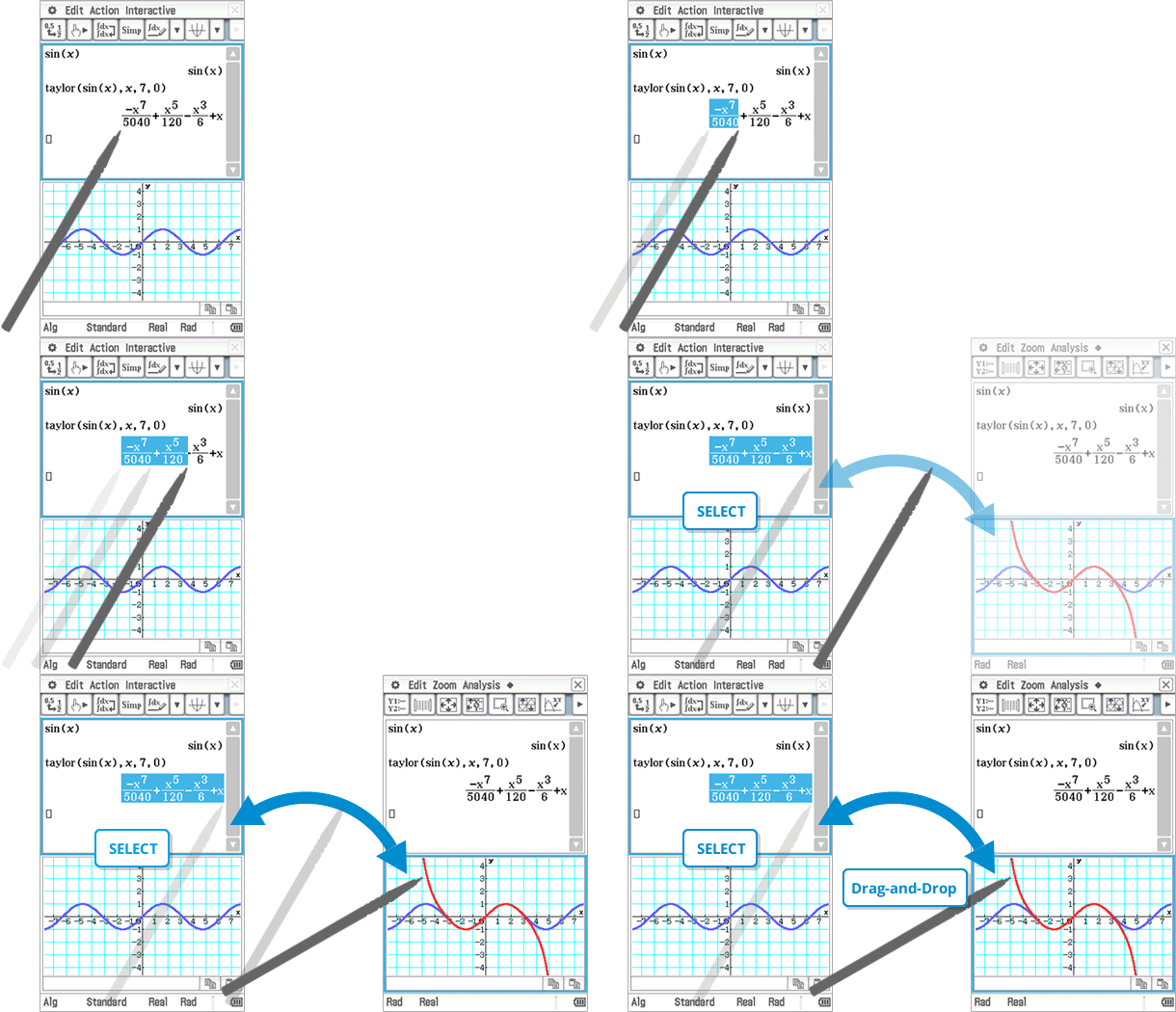
Users can intuitively operate the fx-CP400 by using the stylus on the touch panel to graphically display mathematical formulas without complicated key operations simply by dragging and dropping the formulas into the graph area.
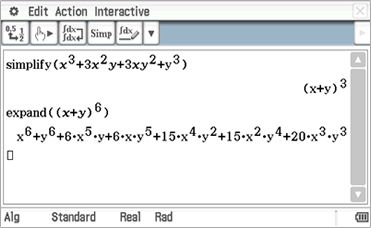
One-touch switching between upright and horizontal views
Users can switch the display between an upright view and a horizontal view simply by touching an icon on the panel. The horizontal view is convenient for displaying a long formula on a single line.
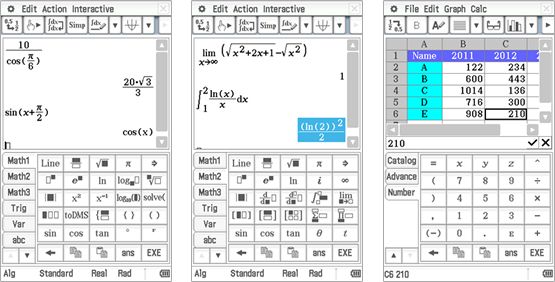
Wide range of functions useful for studying
Casio has redesigned the ClassPad series’ software keyboard to make this new model easier to use, organizing functions to correspond to three levels of learning difficulty, beginning with basic functions used by everyone like fractions, square roots, and trigonometric functions, then advanced functions like differential calculus, complex compound numbers, and sigma calculations, and finally even more advanced calculations including piecewise and user-defined formulas. Furthermore, the fx-CP400 features a variety of functions designed to help students learn and instructors teach at school, including a USB mass storage function for quick and easy data transfer, and compatibility with Casio data projectors to enable the calculator’s display to be projected on a screen.




 ABDUL KARIM